

Screen Speak (Offline Translator + Voice Typing)
$5.00
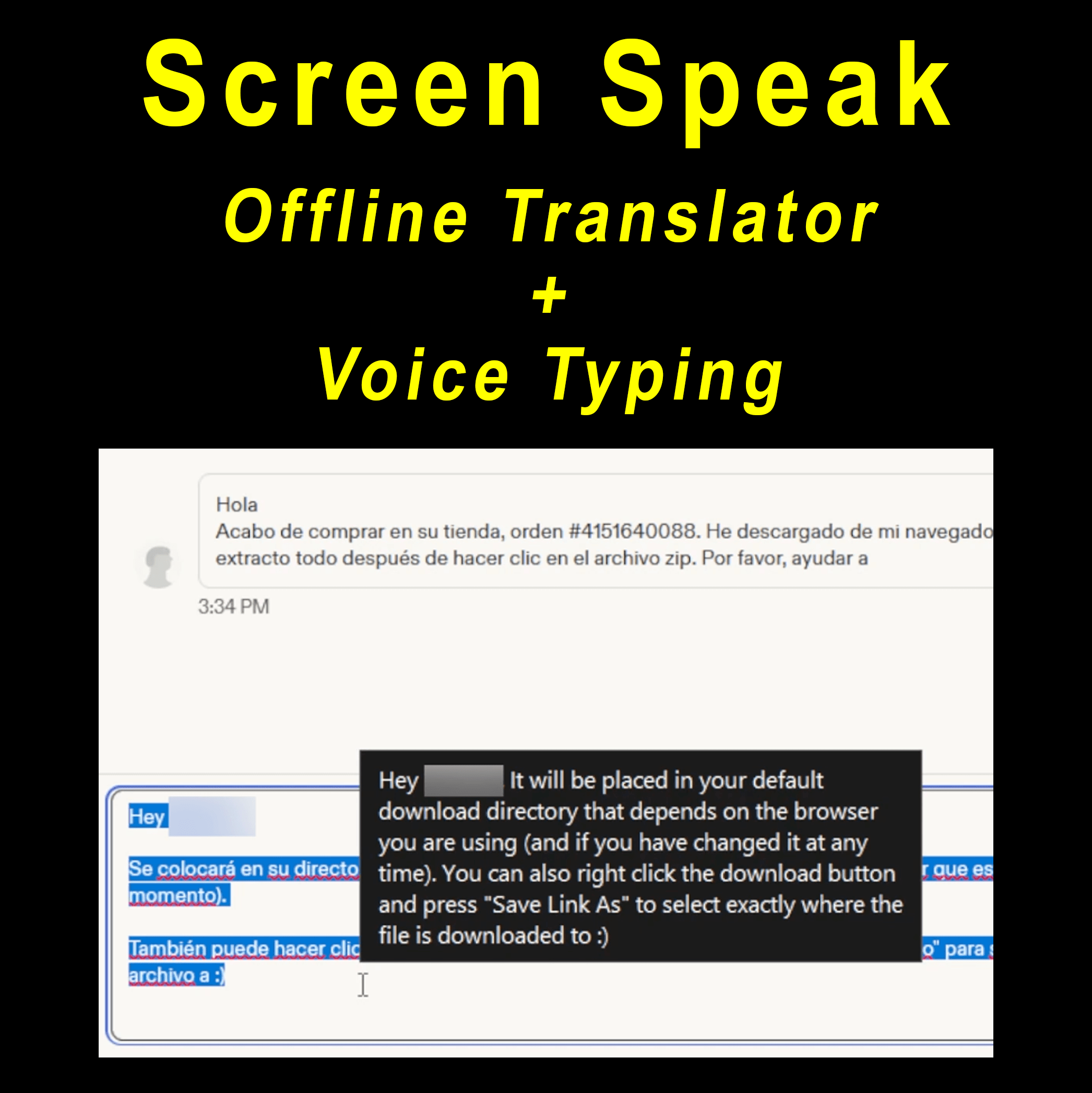
Translate your screen in over 100 languages with Screen Speak, a Windows desktop translator that works in any application. Highlight any text, use a hotkey, and the translation appears instantly. Type translated text into any field, transcribe your own speech with dictation, and follow live translations on screen. Everything runs locally on your PC, and the app works fully offline once the models are downloaded.
- Digital Download
- Lifetime Warranty
- Secure Payments
- 30-Day Money-Back Guarantee
Translate your screen in over 100 languages with Screen Speak, a Windows desktop translator that works in any application. Highlight any text, use a hotkey, and the translation appears instantly. Type translated text into any field, transcribe your own speech with dictation, and follow live translations on screen. Everything runs locally on your PC, and the app works fully offline once the models are downloaded.
Key Features
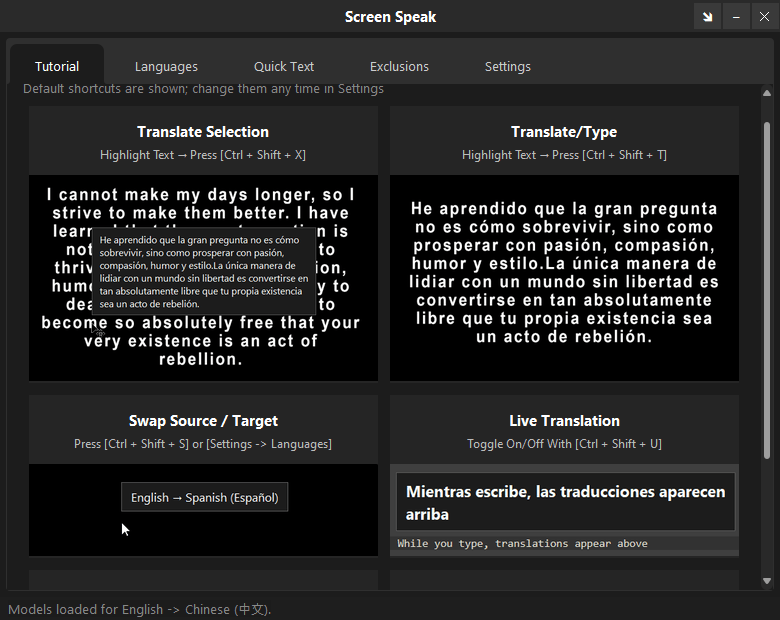
- Translate Selection: Highlight text in any app and translate it instantly. The translation appears in a tooltip next to the text, and your clipboard is restored afterward.
- Translate/Type: Translate the highlighted text and have the translation typed in its place, as if you typed it.
- Translate Clipboard: Copy any text and type it at the cursor, or translate it on demand.
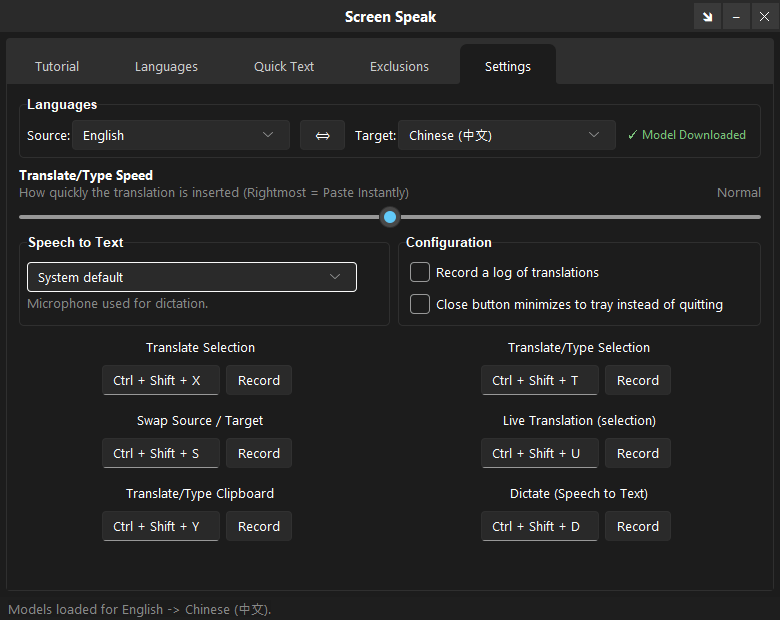
- Swap Source / Target: Swap your source and target languages with a single action or from the Settings tab.
- Live Translation: Turn on live mode and any text you highlight is translated and shown above it.
- Dictate (Speech to Text): Hold the dictation hotkey and speak. Release it and your words are typed at the cursor.
- Over 100 Languages: Supports over 100 languages, including English, Chinese, Spanish, German, French, Japanese, Portuguese, Italian, Hindi, Korean, Russian, Arabic, Polish, Turkish, Dutch, Vietnamese, Ukrainian, Swedish, Thai, and Indonesian.
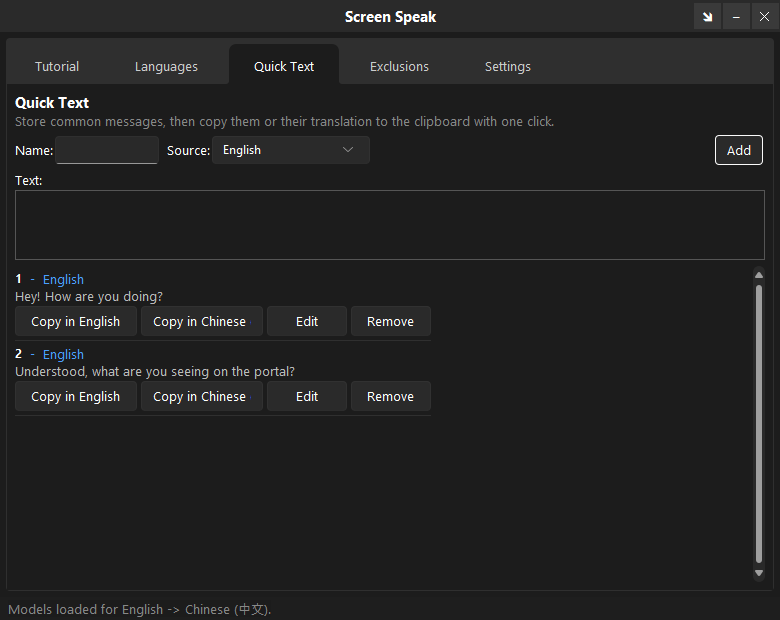
- Quick Text: Save short phrases and insert them with one click.
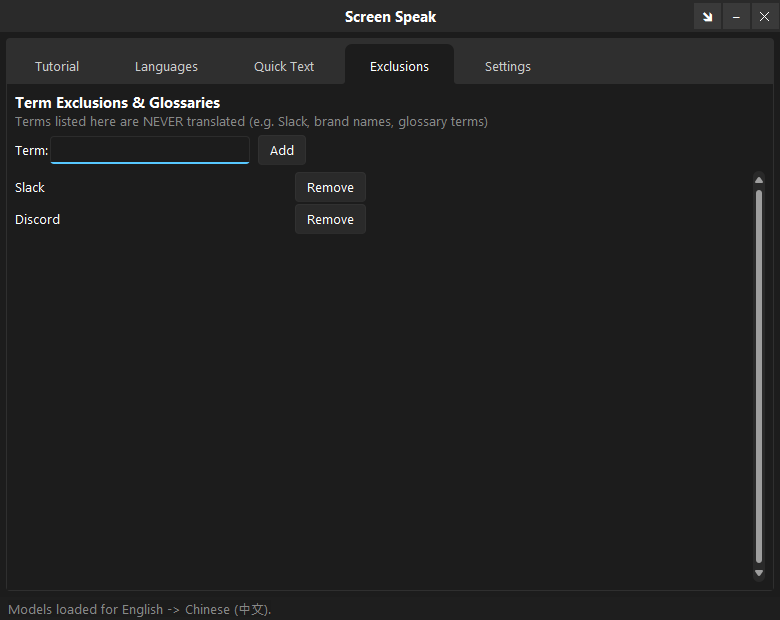
- Exclusions: Keep names and terms from being translated.
- Rebindable Hotkeys: All actions are triggered by global hotkeys that work in any application and can be changed in the Settings tab.
How It Works
- Activate: Activate Screen Speak with your license key.
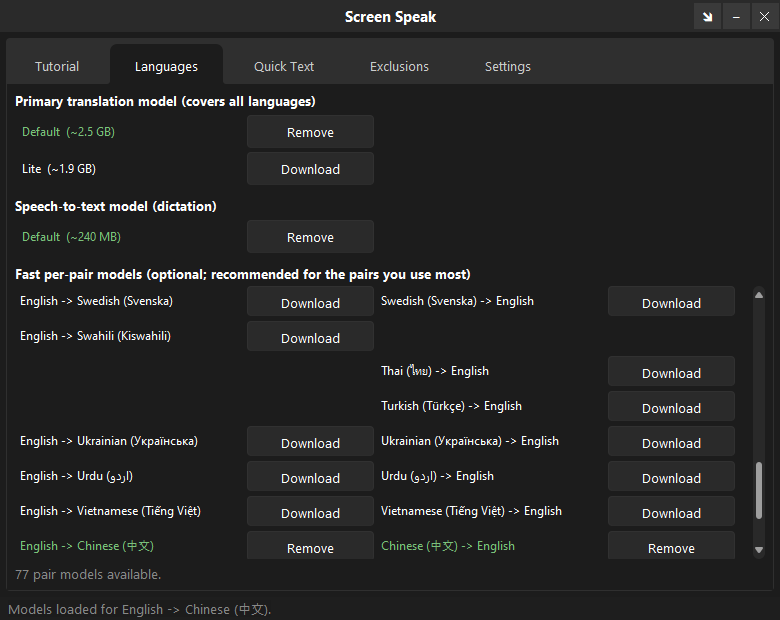
- Download Models: Open the Languages tab and download the translation model and the speech-to-text model you need for dictation.
- Choose Languages: Pick your source and target languages in the Settings tab.
- Translate: Highlight any text and use a hotkey to translate it, or hold the dictation hotkey to type what you say.
Screen Speak In Your Language
Screen Speak translates between over 100 languages. Here is our promise in a few of them:
- English: Better support. Better ratings. Bigger profits.
- Chinese (Simplified): 更好的支持。更好的评价。更大的利润。
- Spanish: Mejor soporte. Mejores valoraciones. Mayores ganancias.
- German: Besserer Support. Bessere Bewertungen. Höhere Gewinne.
- French: Meilleur support. Meilleures évaluations. Plus de profits.
- Japanese: より良いサポート。より高い評価。より大きな利益。
- Portuguese (Brazil): Melhor suporte. Melhores avaliações. Maiores lucros.
- Italian: Migliore assistenza. Migliori valutazioni. Più profitti.
- Hindi: बेहतर सहायता। बेहतर रेटिंग। अधिक लाभ।
- Korean: 더 나은 지원. 더 높은 평점. 더 큰 수익.
- Russian: Лучшая поддержка. Лучшие отзывы. Больше прибыли.
- Arabic: دعم أفضل. تقييمات أفضل. أرباح أكبر.
- Polish: Lepsze wsparcie. Lepsze oceny. Większe zyski.
- Turkish: Daha iyi destek. Daha iyi puanlar. Daha fazla kâr.
- Dutch: Betere ondersteuning. Betere beoordelingen. Meer winst.
- Vietnamese: Hỗ trợ tốt hơn. Đánh giá tốt hơn. Lợi nhuận lớn hơn.
- Ukrainian: Краща підтримка. Кращі відгуки. Більший прибуток.
- Swedish: Bättre support. Bättre betyg. Större vinster.
- Thai: การสนับสนุนที่ดีขึ้น. คะแนนที่ดีขึ้น. กำไรที่มากขึ้น.
- Indonesian: Dukungan lebih baik. Peringkat lebih baik. Untung lebih besar.
Why Buy From Us?
- Instant Access, No Waiting: Get the download link immediately after payment. No shipping delays or lost mail.
- Professionally Prepared: Thoroughly tested for stability on Windows 10 and 11 (64-bit).
- Fully Portable: Runs directly from the folder. No installation or registry changes needed.
- Dedicated Support: Contact us with any questions during download or setup.
Digital Delivery Process
- Complete Checkout: Purchase securely.
- Instant Access: Receive your download link, license key, and activation URL immediately after payment confirmation.
- Download and Extract: Download the archive and extract it to any location on your computer.
- Activate: Use the included license key to activate the software. The link to manage your activated machines is included with your purchase.
- Run: Launch Screen Speak and start translating.
Satisfaction Guarantee
If you encounter any issues with your download or the software does not work as expected, contact us and we will help resolve it.
Important Notes
- License Key Included: Your purchase includes a unique license key delivered via email. Use it to activate the software.
- Machine Management: You can manage which machines your license is associated with using the link provided in your email.
- Entirely Portable: No installation required. Runs directly from the extracted folder.
- Models Downloaded From the App: Use the Languages tab to download the translation and speech models you need. Once installed, translation and dictation work offline.
- Need Help?: Contact us with any questions.
 Screen Speak (Offline Translator + Voice Typing)
Related products
-


Media Hub (Universal Media Conversion Utility)
$6.50View Product This product has multiple variants. The options may be chosen on the product page -


Review Generator (AI-Powered WooCommerce Review Generation Utility)
$4.00View Product This product has multiple variants. The options may be chosen on the product page -


Auto Clicker (Mouse Click Automation Utility)
$4.00View Product This product has multiple variants. The options may be chosen on the product page -


Panic Button (Hide & Mute Apps FAST)
$3.50View Product This product has multiple variants. The options may be chosen on the product page
Reviews
There are no reviews yet